

In the fast-moving world of content creation, everyone is looking for the “magic button” that turns a simple idea into a high-quality video. If you’ve spent any time on YouTube or TikTok recently, you’ve probably noticed a surge in polished, AI-animated stories—from historical documentaries to bedtime stories for kids.
The name behind many of these viral clips is Magic Light AI.
But as we move through 2026, is this tool truly the “Disney in your pocket” it claims to be, or is it just another overhyped subscription? In this deep-dive Magic Light AI review, I’ll pull back the curtain on how it works, what it costs, and whether it’s the right fit for your creative journey.
Table of Contents
What Exactly is Magic Light AI?
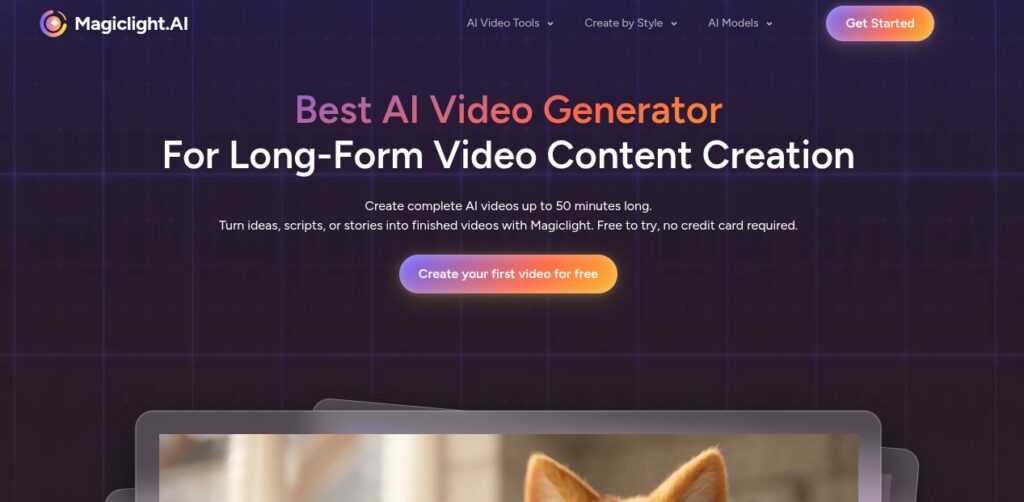
At its heart, Magic Light AI (found at magiclight.ai) is an all-in-one “story-to-video” platform. While most AI video tools are like short-distance sprinters—giving you 5 to 10 seconds of cool footage—Magic Light is a marathon runner. It is specifically designed to create long-form videos that can last anywhere from 5 to 50 minutes.
It isn’t just a video generator; it’s a full production studio. It handles the script, the character design, the voiceover, and the animation all in one workflow. This makes it a go-to for “faceless” YouTubers who want to produce cinematic content without hiring a team of animators.
The “Secret Sauce”: Character Consistency
If you’ve ever tried to make an AI video before, you know the frustration: your main character looks like a blonde knight in one shot and a red-bearded Viking in the next.
Magic Light AI solved this with something called “Character Binding.” Once you create a character, the AI “locks” their features. This means your protagonist stays recognizable from the first scene to the last, which is essential for actual storytelling.
Also Read: Poly AI: Is This the Best AI Character Chatbot in 2026?
How Does it Work? Step-By-Step Guide
You don’t need a degree in film editing to use this. The process is broken down into four easy steps that feel more like playing a video game than working.
1. The Spark (Scripting)
You start by typing a simple idea. For example: “Write a story about a young girl who discovers a hidden library in the clouds.” The AI then expands this into a full, professional script with dialogue and scene descriptions.
2. The Casting (Character Design)
Next, you choose your “actors.” You can describe them in detail or let the AI generate them for you. This is where the character consistency kicks in. You can even upload your own photos to turn yourself or a friend into an animated character.
3. The Visuals (Storyboarding)
The AI generates a storyboard. Think of this as a comic book version of your movie. You can look through each frame and, if you don’t like how a background looks, you can “regenerate” it with one click.
4. The Final Cut (Animation & Audio)
Finally, you pick a voice. The platform offers over 30 emotional voiceover options in more than 10 languages. It even syncs the character’s lip movements to the audio so it doesn’t look like an old dubbed movie.
Real-Life Use Cases: Who is This For?
Magic Light AI has found a home in several different communities. Here are a few ways people are actually making money and impact with it:
- Kids’ YouTube Channels: Creators are making “Bedtime Stories” or educational videos about space and history.
- Business Explainers: Instead of boring PowerPoint slides, companies are using Magic Light to create animated “day in the life” scenarios for their products.
- Faith-Based Content: There is a huge community using the tool to animate religious parables and historical chronicles.
- Authors & Novelists: Writers use it to create “book trailers” that look like high-budget movie previews to help sell their novels on Amazon.
Is Magic Light AI Free? (The Price Breakdown)
This is where things get a bit more serious. While there is a Magic Light AI free plan, it’s mostly there so you can kick the tires.
| Plan | Price (Monthly) | Best For | Key Features |
| Free Plan | $0 | Testing | 1-minute video limit, 300 credits, has watermarks. |
| Standard | ~$8–$12 | Beginners | 5,000 credits, 50-minute video support, no watermarks. |
| Plus | ~$16–$26 | Growing Creators | 15,000 credits, faster generation, voice cloning. |
| Pro | ~$24–$35 | Power Users | 30,000+ credits, unlimited images, priority support. |
Important Note: The platform uses a “Credit System.” This means every time you generate a scene or animate a character, it eats into your monthly credits. Some users find that if they do a lot of “retakes,” they can run out of credits faster than expected.
Also Check: Stop Missing out 7+ Gemini AI Couple Photo Prompts for Instagram
The Good, The Bad, and The Honest
Every tool has its quirks. Here is a balanced look at the pros and cons of using Magic Light AI in 2026.
The Pros (Why it’s Awesome)
- Time Saver: You can turn a 2-sentence idea into a 10-minute HD video in under 20 minutes.
- Professional Look: The 1080p (and sometimes 4K) output looks significantly better than basic “slideshow” AIs.
- Multilingual: If you want to reach a global audience, the ability to translate and dub your story into 10+ languages with one click is a massive advantage.
- Commercial Rights: If you are on a paid plan, you own the content. You can monetize it on YouTube or sell it to clients.
The Cons (The Frustrations)
- Customer Support: A common complaint from users is that the support team can be hard to reach if you have a billing issue or a technical glitch.
- Credit Costs: Redoing a scene because the AI gave your character six fingers still costs credits. This can feel a bit unfair when the mistake was the AI’s fault.
- Learning Curve: While “simple,” getting the perfect cinematic look requires some practice with “prompting” (knowing how to describe things to the AI).
- Server Lag: Because the site is so popular, rendering a 30-minute video during peak hours can sometimes take longer than the promised “15 minutes.”
FAQs: People Also Ask
1. Can I use Magic Light AI for free?
Yes, you can sign up for a free account that gives you enough credits to make about one minute of video. It’s perfect for seeing if you like the “vibe” of the platform before spending money.
2. How do I get rid of the watermark?
To remove the Magic Light logo from your videos, you’ll need to upgrade to any of the paid plans (starting around $8–$12).
3. Does Magic Light AI have an app?
Yes! There is a MagicLight: AI Long Video Maker app on the Google Play Store and iOS. It’s very handy for checking on your video renders while you’re on the go.
4. Is it better than Luma or Sora?
It’s different. Tools like Luma Dream Machine or Sora are great for “artistic” short clips. Magic Light is better for complete stories. If you want a movie with a beginning, middle, and end, Magic Light is the winner.
5. What happens if I cancel my subscription?
Usually, you keep the credits you’ve already paid for until the end of the billing cycle, and you keep the rights to the videos you’ve already made. However, always check the latest terms on their site as they can change!
The Final Verdict: Is it Worth It?
If you have a story to tell but you can’t draw a stick figure to save your life, Magic Light AI is a miracle. It bridges the gap between having an idea and having a finished movie.
Is it perfect? No. The credit system can be annoying, and the AI still makes the occasional “glitchy” hand or face. But for the price of a couple of cups of coffee a month, you are getting access to technology that would have cost $50,000 just a few years ago.
My Advice: Start with the free version. Make one 30-second scene. If the character consistency and voiceover impress you, then consider the Standard plan to start building your YouTube empire.
Would you like me to help you brainstorm a “Story Prompt” for your first Magic Light AI video?