
The world of content creation is changing faster than a 60fps frame rate. Just when we thought we had mastered the art of prompt engineering for images, Google dropped a massive update that is set to redefine how we think about video. If you have been following the AI space, you’ve likely heard the buzz around Veo 3.1.
But what exactly is it? Is it just another AI video generator, or is it the tool that will finally make high-end cinematic production accessible to everyone?
In this comprehensive guide, we are diving deep into Veo 3.1. Whether you are a YouTuber looking to create viral Shorts, a developer building the next big app, or a curious beginner, this post will explain everything you need to know about Google’s latest video powerhouse.
What is Veo 3.1?
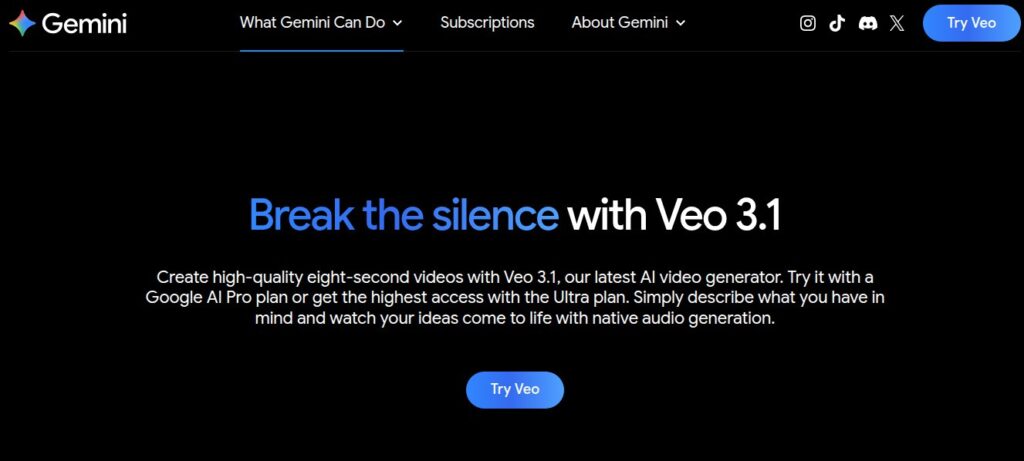
Veo 3.1 is Google’s latest and most advanced generative AI video model. Built by the minds at Google DeepMind, it is designed to turn simple text prompts or reference images into high-quality, cinematic video clips.
The “3.1” update isn’t just a minor patch; it’s a significant leap forward in visual consistency, resolution, and mobile-first content creation. While previous versions laid the groundwork, Veo 3.1 introduces professional-grade features like 4K upscaling and native vertical video support, making it a direct competitor to industry giants like OpenAI’s Sora and Runway Gen-3.
The Problem: Why We Needed Veo 3.1
Until recently, AI-generated videos suffered from three major “glitches”:
- Identity Drift: A character’s face would change halfway through the clip.
- Resolution Limits: Most AI videos looked “grainy” or low-res.
- The “Landscape” Curse: Everything was shot in 16:9, making it a pain to edit for TikTok or Instagram Reels.
Veo 3.1 addresses these head-on, providing a “production-ready” workflow that feels less like a science experiment and more like a professional tool.
Also Read: Poly AI: Is This the Best AI Character Chatbot in 2026?
Key Features of Veo 3.1 You Need to Know
Google has packed a lot into this version. Let’s break down the standout features that make Veo 3.1 a game-changer.
1. “Ingredients to Video” Enhancement
This is perhaps the coolest name for a feature ever. “Ingredients to Video” allows you to upload reference images—like a character sketch, a specific product, or a background—and tell the AI to animate them.
- The Upgrade: In Veo 3.1, the AI is much better at understanding the intent of your image. It preserves the exact details of your “ingredients” while adding realistic motion.
2. Native Vertical Video (9:16)
If you are a creator in India, you know that YouTube Shorts and Instagram Reels are where the growth is. Previously, you had to generate a landscape video and crop it, losing half the quality.
- The Solution: Veo 3.1 supports native 9:16 aspect ratio. This means the AI composes the shot specifically for a phone screen, ensuring nothing important gets cut off.
3. State-of-the-Art Consistency
Identity consistency has been the “Holy Grail” of AI video. In Veo 3.1, a character stays the same across different clips. If you want your character to walk from a sunny beach into a dark cave, their facial features and clothing won’t magically transform.
4. 4K Upscaling and 1080p Support
Resolution matters. Veo 3.1 introduces high-fidelity upscaling. You can now generate videos that are sharp enough for the “big screen,” with rich textures and stunning clarity that rival traditional cinematography.
How to Access and Use Veo 3.1
Google has made Veo 3.1 available across several platforms, depending on your needs.
| Platform | Best For |
| Gemini App | Casual users and quick experiments. |
| YouTube Shorts/Create | Creators making short-form social content. |
| Google AI Studio | Developers and power users who want API access. |
| Vertex AI | Enterprise-level businesses and large-scale production. |
Simple Steps to Create Your First Video:
- Choose your “Ingredients”: Upload a reference image if you have a specific character or setting in mind.
- Write a Prompt: Keep it simple. Instead of “cinematic,” use “35mm lens, golden hour lighting.”
- Select Format: Choose between Landscape (16:9) or Portrait (9:16).
- Generate & Refine: Use the “Extend” feature to add 5–10 seconds to a clip you like.
Also Check: Stop Missing out 7+ Gemini AI Couple Photo Prompts for Instagram
Veo 3.1 vs Sora vs Runway: Which is Better?
The AI video war is heating up. Here is how Veo 3.1 stacks up against the competition.
Veo 3.1 vs OpenAI Sora
Sora is famous for its dreamy, filmic look and complex physics. However, Veo 3.1 often wins on controllability. Because Google integrates Veo with its “Ingredients to Video” system, you have more power to tell the AI exactly what objects to use. Plus, Veo’s native audio generation (which syncs sound to the video) is a massive workflow advantage.
Veo 3.1 vs Runway Gen-3
Runway has a fantastic suite of editing tools, but Veo 3.1‘s integration into the Google ecosystem (Gemini, YouTube, Google Vids) makes it more convenient for creators who already use those platforms. In terms of raw realism, Veo is specifically tuned for “advertising-grade” clarity—bright, sharp, and professional.
Pros and Cons of Using Veo 3.1
Nothing is perfect. Here’s a balanced look at what to expect.
Pros:
- Unmatched Consistency: Keeps characters and backgrounds stable.
- Social Media Ready: Native vertical support is a lifesaver for Shorts creators.
- Integrated Audio: Generates soundscapes that match the visual action.
- High Resolution: 4K support makes it viable for professional use.
Cons:
- Waitlists/Access: Depending on your region, you might need to wait for full rollout.
- Prompt Learning Curve: To get the absolute best results, you need to learn “camera language” (e.g., pans, tilts, focal lengths).
- Cost: High-quality 4K generation through the API can get expensive for large projects.
Why Veo 3.1 is a Big Deal for Indian Creators
India has one of the largest creator economies in the world. For a solo creator in Mumbai or Bangalore, hiring a full production crew is expensive.
Veo 3.1 acts as a “studio in your pocket.”
- Educational Content: Explain complex topics using AI-generated visuals.
- Small Businesses: Create high-quality product ads for Instagram without a big budget.
- Storytelling: Animate folk tales or local stories with consistent characters across episodes.
Safety and Ethics: The SynthID Factor
Google is very aware of the risks of deepfakes. Every video generated by Veo 3.1 is embedded with SynthID. This is an invisible digital watermark that identifies the content as AI-generated. This helps maintain trust and transparency, especially in an era where “seeing is no longer believing.”
Frequently Asked Questions (FAQs)
1. Is Google Veo 3.1 free to use?
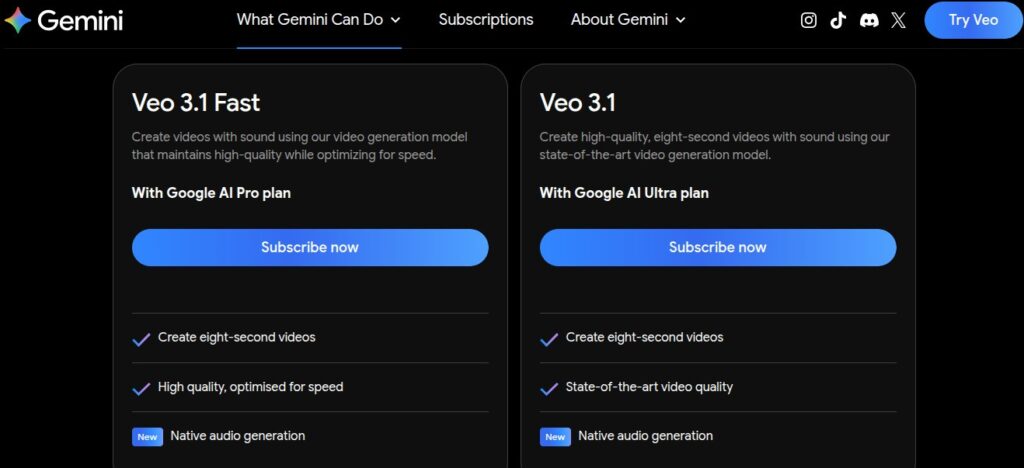
Currently, access varies. Basic features are being rolled out to Gemini and YouTube Create users (which may have free tiers or limits), while professional use via the Gemini API is typically on a “pay-as-you-go” or subscription basis.
2. Can I use my own photos with Veo 3.1?
Yes! The “Ingredients to Video” feature is specifically designed for this. You can upload an image of a person or an object, and Veo 3.1 will use it as a reference to ensure the video stays true to your original photo.
3. How long can the videos be?
Most AI video models, including Veo 3.1, generate clips in segments (usually 6–10 seconds). However, you can use the “Extend” and “Transition” tools to stitch clips together into a longer narrative.
4. Does Veo 3.1 generate sound?
Yes. One of the standout features of the Veo 3 series is native audio generation. It creates sound effects and ambient noise that match the movements and context of your video.
5. Can I use Veo 3.1 for commercial purposes?
Generally, yes, if you are using it through the enterprise tools like Vertex AI or the Gemini API, but you should always check Google’s latest Terms of Service regarding AI-generated commercial rights.
6. Is Veo 3.1 better than Sora?
It depends on your goal. Sora is excellent for cinematic, artistic physics. Veo 3.1 is often preferred for its character consistency, vertical video support, and integration with the Google/YouTube ecosystem.
Conclusion: The Future of Video is Here
Veo 3.1 isn’t just a technical update; it’s a bridge between “cool AI clips” and “professional video production.” By solving the problems of consistency and aspect ratios, Google has created a tool that actually fits into a creator’s daily workflow.
Whether you’re making a 15-second TikTok or a high-definition commercial, the power to visualize your ideas is now just a prompt away. The barrier to entry for high-quality video has never been lower.