
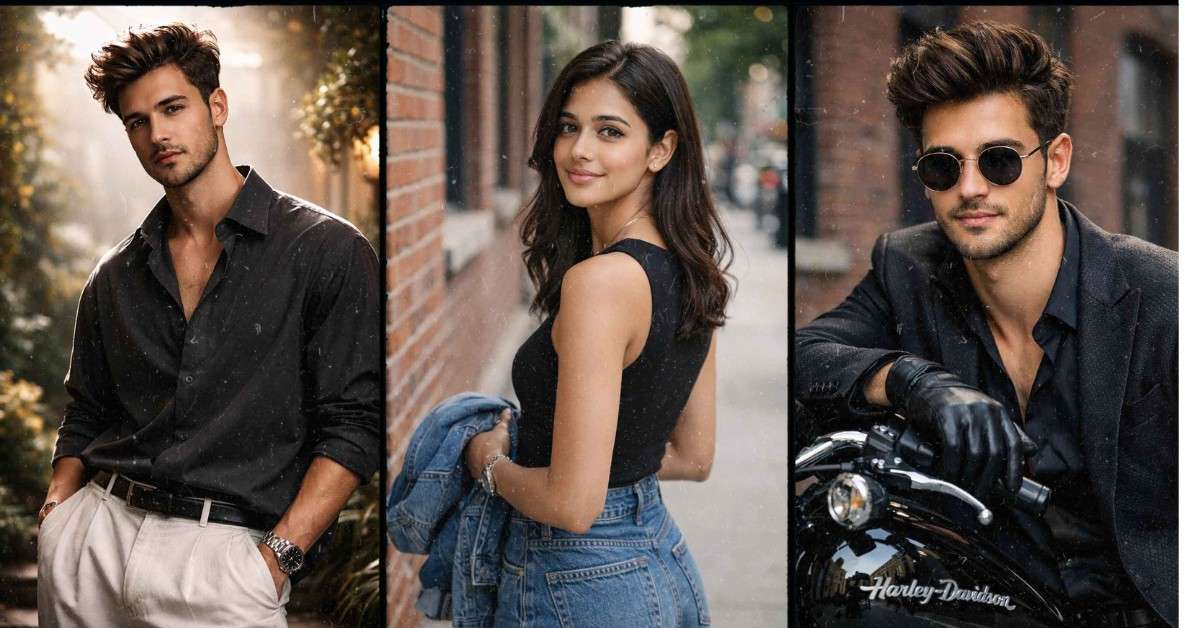
Photo editing has changed a lot in the last few years. In 2026, Google Gemini AI is one of the most powerful tools for editing photos using simple text prompts. You don’t need professional editing skills anymore. Just type what you want, and Gemini AI does the work for you.
In this article, I will share Google Gemini AI Photo Editing Prompts that anyone can use. These prompts are simple, effective, and perfect for beginners as well as content creators.
Table of Contents
What Are These Prompts About?
Google Gemini AI Photo Editing Prompts are simple text instructions that tell Google Gemini how you want your photo to look. Instead of using complicated tools like Photoshop, you just write what you imagine.
For example:
- Make the photo brighter
- Change background to sunset
- Add cinematic lighting
Gemini AI understands natural language, so you don’t need any technical knowledge.
Top 10 Google Gemini AI Photo Editing Prompts
Prompt 1 : Gemini AI Photo Editing Prompts for Boys
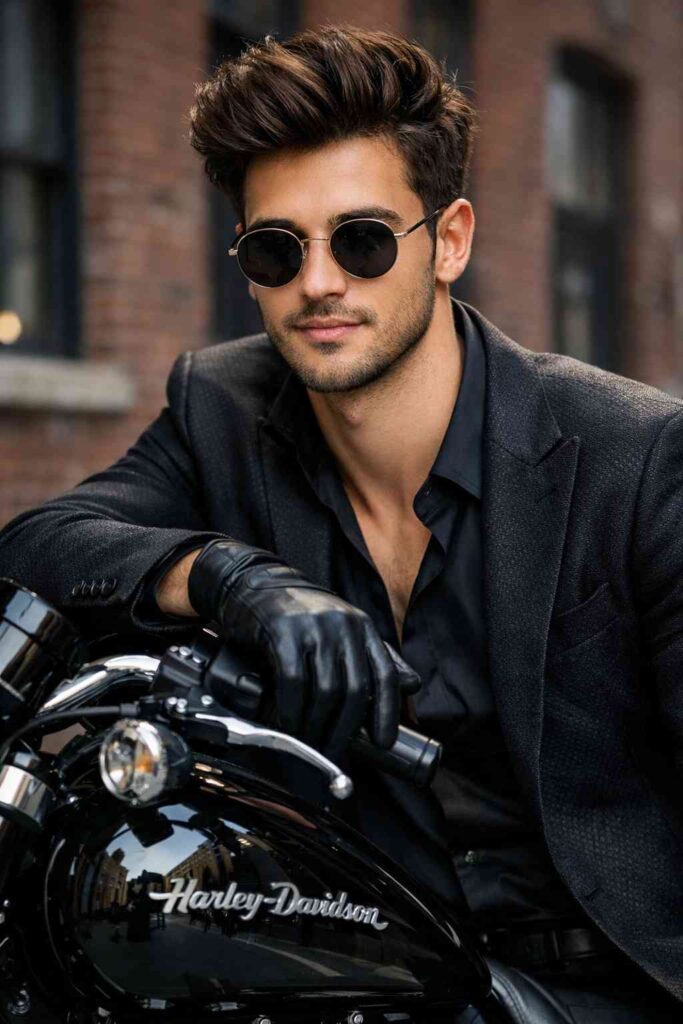
Create an ultra-realistic DSLR-style photo using the uploaded reference image as the main character. Face must remain 100% identical to the reference image (same hairstyle, beard, skin tone), no face swap or beautification photo size (2160×3840).
Portrait of a slim and well-proportioned young man with a stylish black hair with messy bangs in Korean style, white and clean skin, moist natural pink lips, he wears round sunglasses, a sleek black blazer with intricate texture over a slightly open black satin shirt and black leather gloves, standing/leaning on a shiny black motorcycle (Harley Davidson) on a city street with a brick building in the background*His expression is seductive and calm, his head is slightly lowered and turned
Prompt 2 : AI Photo editing
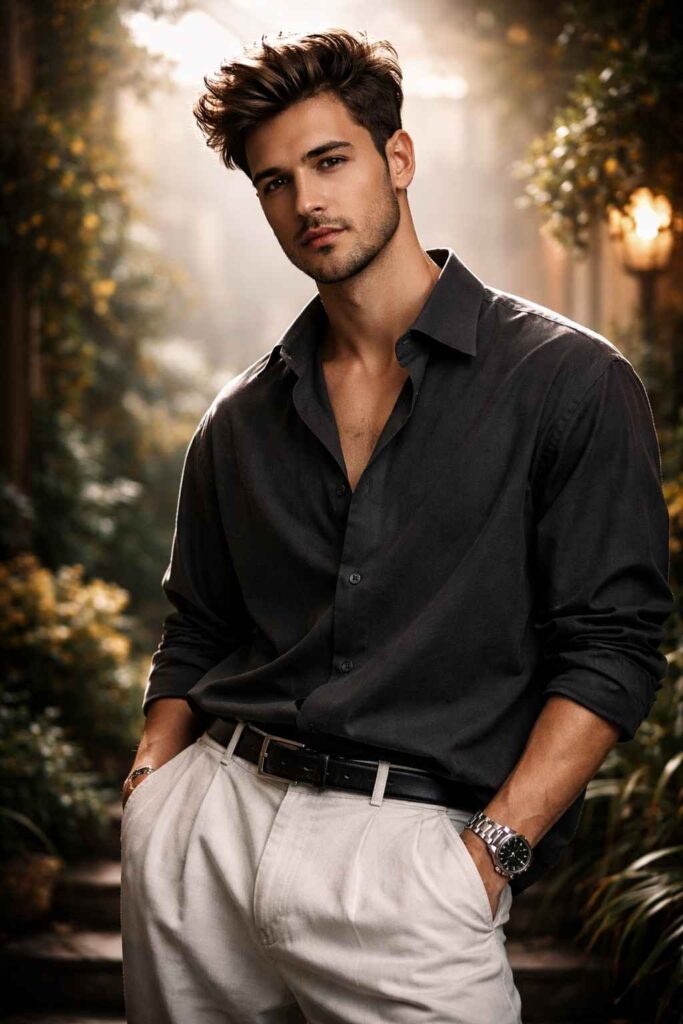
Use 100% face above uploaded photo Creat realistic ark green portrait cinematic image with dramatic bold attitude and confidence actions. of a 21 year young styleish man with black hair and black beard (refrence image given) with wearing an oversizedlight darkgray shirt with the top buttons undone stylish, front tuck in the pants, white baggypants, watch is left hand, dark messyhair, sharp jawline, bright light source comming from top and back of his head baground is artificial studio garden
Prompt 3 : Gemini AI Photo Prompt For girls
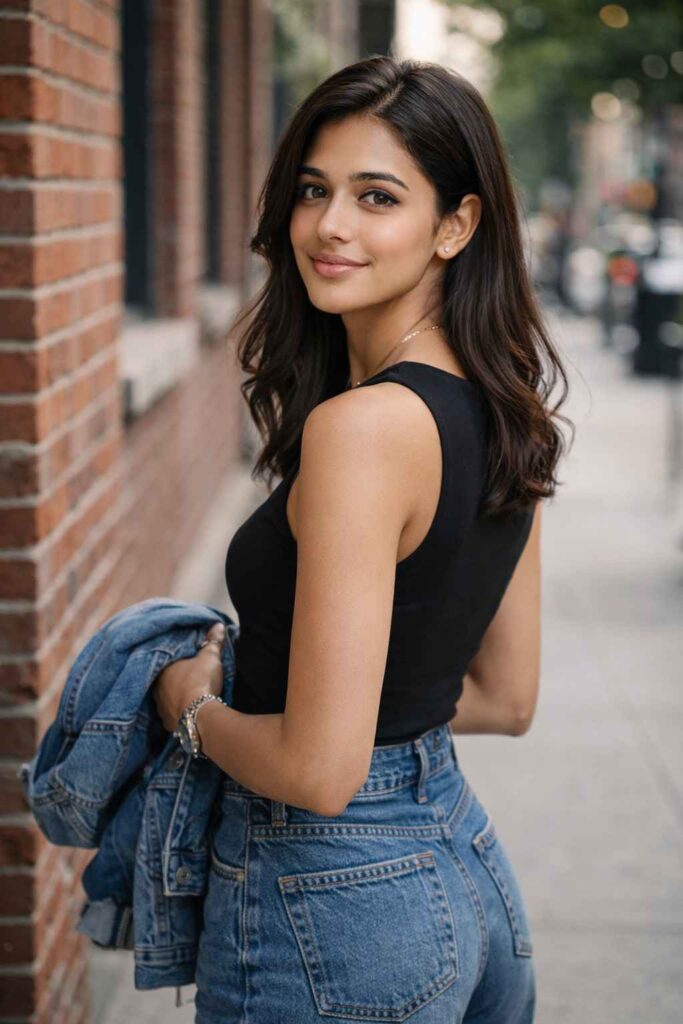
Using the uploaded photo as the exact facial reference and identity (do not alter face shape, skin tone, or facial features), generate a natural, ultra-realistic lifestyle portrait. A young woman standing on an urban sidewalk beside a red brick wall, slightly turned sideways, looking back over her shoulder with a soft, natural smile. She has shoulder-length black hair with a gentle natural wave, minimal makeup, expressive eyes, and realistic skin texture.

Outfit: sleeveless black fitted top, high-waisted blue denim jeans, holding a denim jacket casually in one hand. Accessories are minimal and elegant, including a delicate gold necklace. Pose is relaxed, confident, and candid.

Background: urban street with brick buildings, soft depth of field, creamy bokeh, distant street elements blurred. Lighting is natural daylight, soft and flattering, no harsh shadows. Camera perspective is eye-level, lifestyle photography style.

Mood: warm, casual, confident, modern, authentic. Ultra-realistic, DSLR photo quality, shallow depth of field, sharp facial focus, natural colors, Instagram-ready aesthetic, editorial street portrait.
Prompt 4 : Gemini Prompts
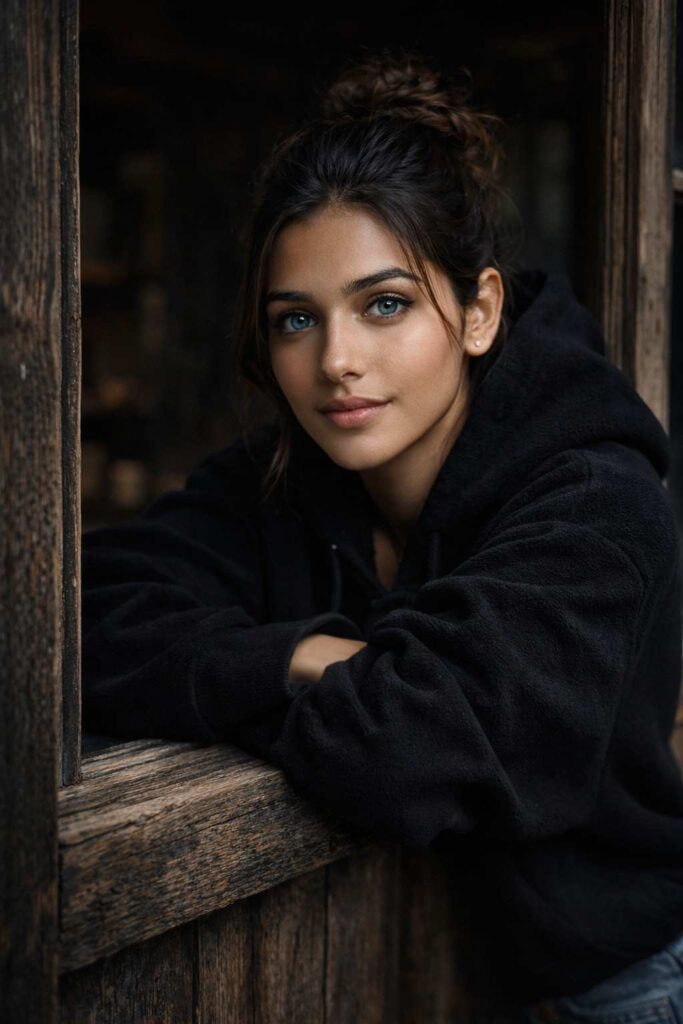
Ultra-realistic cinematic portrait of a young woman leaning out of a rustic wooden window, wearing a black oversized fleece hoodie, arms folded and resting on the window frame. Natural soft daylight illuminating her face, piercing blue eyes with sharp focus, subtle freckles and smooth skin texture, natural makeup, slightly messy hair tied in a loose bun with a few strands falling naturally.Moody dark background inside the room, weathered wooden textures on the window frame, shallow depth of field, creamy bokeh, high contrast, dramatic yet soft lighting, professional photography, 85mm lens look, f/1.8, photorealistic, ultra-detailed, 8K quality, cinematic color grading, cozy winter mood, editorial portrait style.
Prompt 5 : Editing Prompts
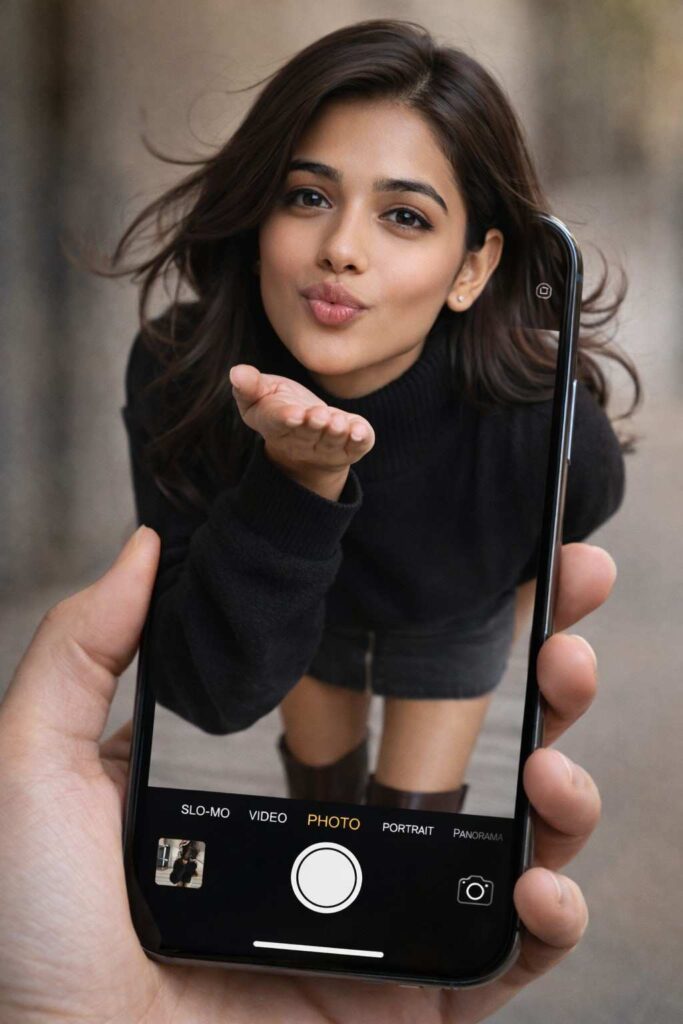
Use the provided reference face image as the absolute identity anchor.The face must remain 100% identical to the reference.
Do NOT alter, stylize, idealize, beautify, age, or modify the face in any way.
Strictly preserve:Exact face shape (jawline, chin width, cheekbone height and placement)
Exact facial proportions and geometry
Identical eye shape, size, spacing, tilt, and depth
Identical nose shape, bridge width, nostril size, and tip
Identical lip shape, fullness, curvature, and mouth width
Identical forehead height and contour
Identical ear shape and placement (if visible)
Identical skin texture, pores, freckles, moles, scars, and micro-details
Identical natural expression geometry (no facial reinterpretation){
“description”: “A hyper-realistic optical illusion photograph. A young Caucasian woman appears to be stepping out of a smartphone screen held in a hand. The screen displays the camera interface, capturing her boots, while her real upper body extends out of the phone into reality.”,
“mirror_rules”: “Ensure the phone screen clearly shows the iOS Camera UI (shutter button, mode text). Handwritten annotations must be legible and not mirrored.”,
“age”: “20s”,
“expression”: {
“eyes”: {
“look”: “Alluring and playful”,
“energy”: “Confident, direct”,
“direction”: “Looking at the viewer”
},
“mouth”: {
“position”: “Blowing a kiss or pouting”,
“energy”: “Chic and charming”
},
“overall”: “Lifelike, engaging interaction”
},
“face”: {
“preserve_original”: “false”,
“makeup”: “Natural glam, matte foundation, defined European features”,
“features”: “High nose bridge, double eyelids, defined jawline”
},
“hair”: {
“color”: “Dark brown”,
“style”: “Long, loose waves, voluminous”,
“effect”: “Realistic shine, wind-blown effect”
},
“body”: {
“frame”: “Petite but proportionally realistic”,
“waist”: “Defined”,
“chest”: “Covered by turtleneck”,
“legs”: “Visible INSIDE the phone screen interface wearing boots”,
“skin”: {
“visible_areas”: “Face, hands”,
“tone”: “Fair Caucasian skin”,
“texture”: “Ultra-realistic skin texture, visible pores, natural imperfections”,
“lighting_effect”: “Soft daylight”
}
},
“pose”: {
“position”: “Torso and head emerging vertically from the phone, legs displayed on the screen”,
“base”: “Dynamic standing pose”,
“overall”: “充满活力的随机姿势,让人感觉生命力满满”
},
“clothing”: {
“top”: {
“effect”: “精致的穿搭,High-quality textile photography”
},
“bottom”: {
“type”: “Mini Skirt and Leather Boots”,
“color”: “Dark Grey (skirt), Brown (boots)”,
“details”: “Boots visible on the screen beneath the UI elements”
}
}
}
Prompt 6 : Gemini AI Photo Editing
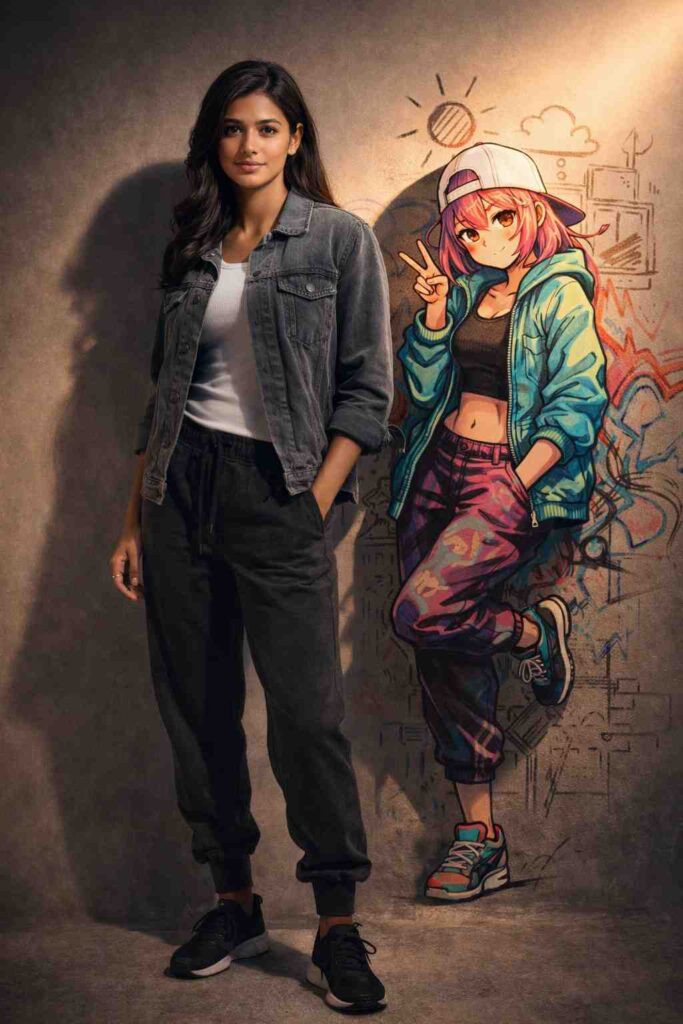
Create an ultra-realistic DSLR-style photo using the uploaded reference image as the main character. Create a Ultra-realistic 9:16 vertical full-body studio portrait. A fit Indian woman (identity locked) wearing a steel-gray denim jacket, white ribbed shirt, charcoal joggers, and black sneakers. Beside her, a 2D anime graffiti girl leans against an imaginary illustrated wall. Background is warm sunrise gray with sketch-like projections. Harsh-edged cinematic lighting, ultra-realistic textures, 8k.
Prompt 7 : AI Photo Editing Prompts
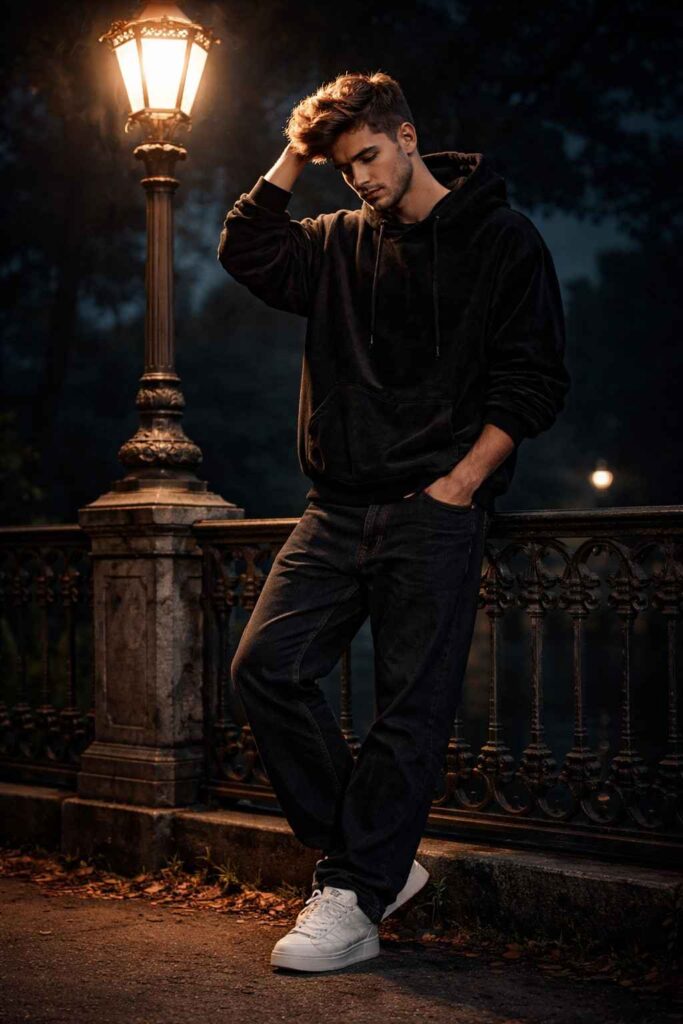
Create an ultra-realistic DSLR-style photo using the uploaded reference image as the main character.

A realistic night photograph of a young man standing casually next to a tall, antique street lamp. The lamp is glowing brightly, casting a warm light from above. The man is wearing a dark, oversized hoodie with a velvet texture, loose dark pants, and white sneakers. He has one hand running through his hair and is looking downwards. He is standing in front of an intricate, decorative wrought-iron railing. The background is a deep dark blue night sky with faint silhouettes of trees.
Prompt 8 : Editing Bank
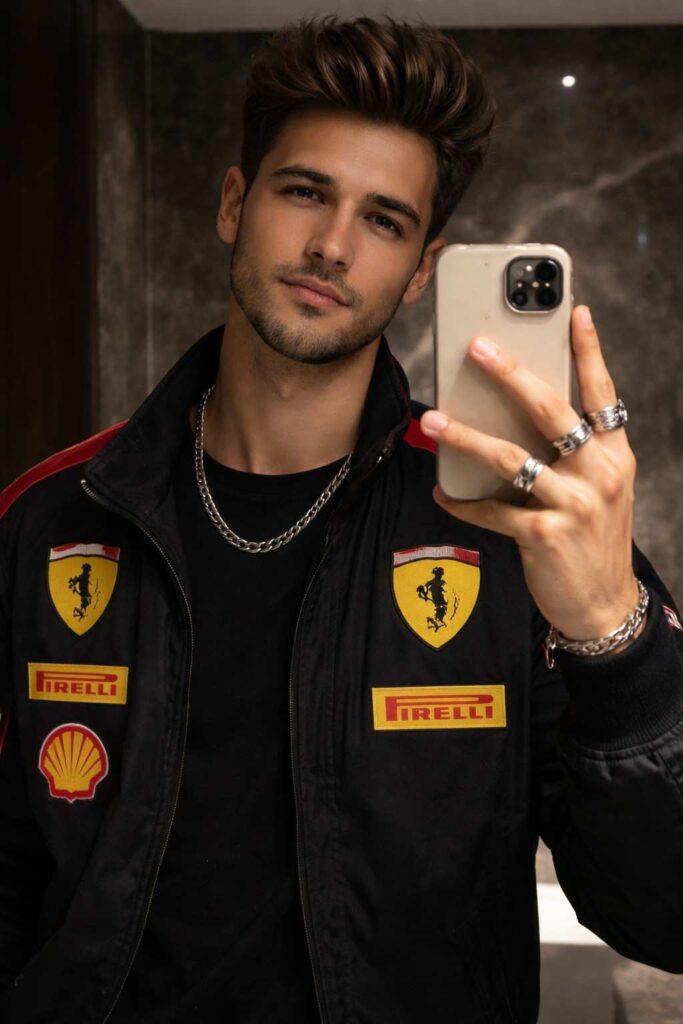
 Create a hyper-realistic mirror selfie of me (use my face from the uploaded selfie) wearing the same black Ferrari racing jacket with red and yellow patches, black t-shirt underneath, silver rings, and chain.

I’m holding a phone with a beige

MagSafe case, posing in a dimly lit

modern bathroom with dark marble

walls. The lighting is soft and moody
Prompt 9 : Gemini AI Photo Editing Prompt

Ultra-realistic 16K UHD cinematic movie-poster of o 25-year-old man (use my uploaded photo for 100% exact face, skin tone, hair & beard match no changes at all)Signature: Prompt EMR
Main Portrait Foreground):
Extreme close up side profile portrait, looking intensely downward
Serious deep, emotional expression
Saves betrabyle, same beard stule
Some outfit and boxerire
Sorondary Scene (Bukem Frame)
Same nun riding a classic vintage motoreyate downhill
Prompt 10 : Gemini AI Photo Prompt Copy Paste
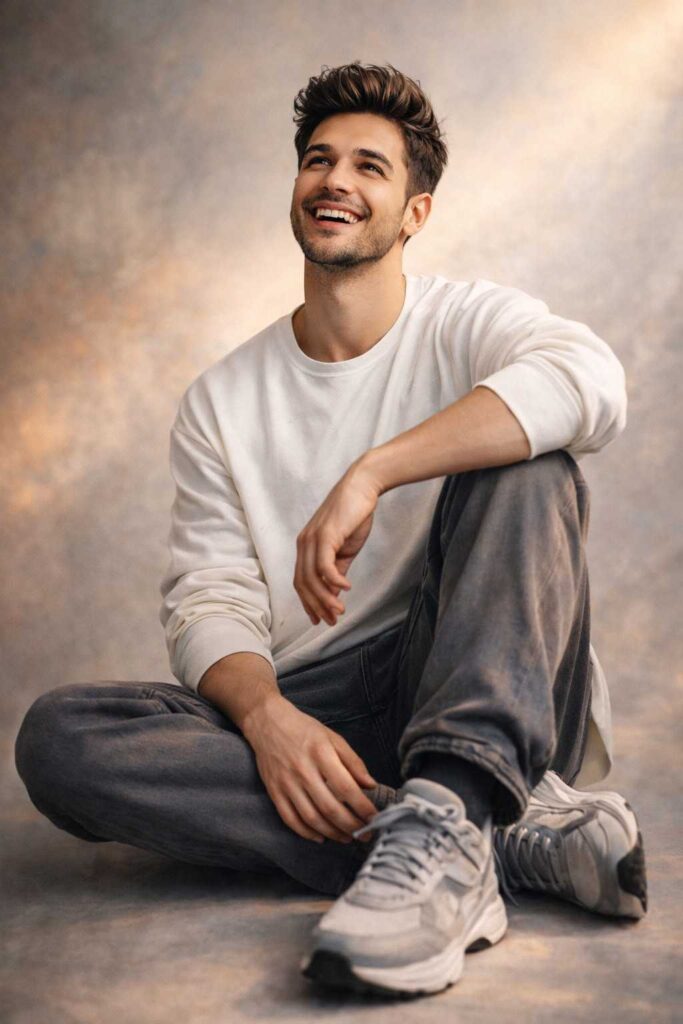
An artistic portrait of a joyful young man with a well-groomed beard and voluminous dark hair, looking upward with a radiant smile. He is seated elegantly on the floor, wearing a modern loose white long-sleeve top, relaxed gray trousers and chunky gray-and-white sneakers. The foreground is captured in vibrant full color with soft, natural lighting hitting his face.
How to Use These Prompts (Step by Step)
- Open Google Gemini AI
- Upload your photo
- Copy any prompt from above
- Paste it in the prompt box
- Click generate or edit
- Wait a few seconds and download the result
That’s it. No editing skills required.
Tips for Better Results
- Always use clear and simple prompts
- Mention lighting, quality, and realism
- Avoid very long sentences
- Try different variations of the same prompt
- Use high-quality original photos
Small changes in words can give big improvements.
Also Check: 11 Best Google Gemini Radha Rani AI Photo Editing Prompts 2026
Conclusion
In 2026, photo editing is no longer difficult. With Google Gemini AI Photo Editing Prompts, anyone can create professional-looking images in seconds. Whether you are a beginner, blogger, influencer, or business owner, these prompts can save time and improve quality.
Try these Gemini AI Photo Editing Prompts and experiment with your creativity. The more you practice, the better your results will be.